QR Code Size for Print
Minimum sizes by scanning distance, and why short links print smaller.
Read More →Which colors scan, why white and inverted codes are risky, and how to test before you print.
No, QR codes don't have to be black and white. Any colors work as long as the code is clearly darker than its background. A phone reads a QR code by the difference in light reflected from the dark and light squares, so contrast matters, not color. Denso Wave, the company that invented the QR code, still recommends black on white as the safe default (Denso Wave FAQ).
Color is a design choice. Contrast is a scanning requirement.
Here are six versions of the same code. The ratio is the contrast between the code and its background, calculated with the standard WCAG formula (21:1 is the maximum).
| Sample | Colors | Contrast | Verdict |
|---|---|---|---|
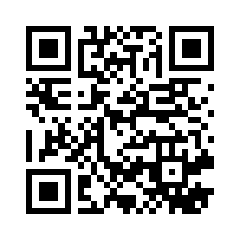 | Black on white | 21:1 | Safest choice |
 | Dark green on cream | 8.5:1 | Scans well |
 | Violet on white | 5.7:1 | Scans well |
 | Cyan on white | 2.4:1 | Risky |
 | Yellow on white | 1.5:1 | Fails |
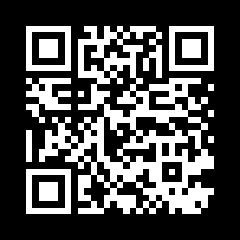 | White on black (inverted) | 21:1 | Risky, see below |
Violet and cyan are both QRZY brand colors. Only the violet makes a reliable code. Brand colors aren't automatically safe; check the contrast.
How much contrast is enough? There's no single agreed number for phone scanning. Accessibility guidance gives a useful floor: the DAISY Consortium recommends that QR codes at least meet WCAG's non-text contrast rule (DAISY Knowledge Base), which is a 3:1 ratio. The US government's Section 508 guidance asks for at least 4.5:1 (Section508.gov). Aim for 4.5:1 or more, and test.
Colors to avoid for the code itself:
A white code on a black background, called an inverted QR code, has the same contrast as black on white. Some phone cameras read it, but neither Apple nor Google documents support for it, and not every scanner does: GS1 New Zealand advises against inverted codes because traditional scanners read the darker color as the code (GS1 NZ).
A transparent PNG or SVG takes on whatever is behind it. Put a dark code on a dark wall, a photo or a clear sticker and the contrast disappears. Denso Wave's advice for printing on transparent bags is to print a white background as well as the black squares.
Strong contrast also helps people with low vision or color blindness find and scan the code, which is why accessibility guidance asks for it. A code that's easy for everyone to see is easy for every phone to read.
QRZY lets you pick both colors for every code:
Matching your brand is crazy simple: paste your brand's hex code. Then check the contrast yourself, because QRZY doesn't check contrast for you and won't stop you from picking a light color.
Color changes apply to new downloads, not to codes you've already printed. A color mistake in print means a reprint. A wrong link doesn't: every QRZY dashboard code is dynamic, so you can change where it points after printing. See how dynamic QR codes work.
Size matters as much as color. Check the QR code size guide, and if a printed code fails, the not-scanning checklist walks through every cause. Brand colors on shop signage are a common case: see QR codes for retail stores. For placement and error correction, see the QR code best practices.
No. Any dark color on a light background works if the contrast is high enough. Black on white is the safest.
Yes, as an inverted code on a dark background, but not every scanner reads it. For print, a dark code on a white panel is safer.
Only with a light code, which makes it an inverted code. Some phones read those; some scanners don't. Test before printing.
Red, yellow, orange, light grey and pastels on white, and any dark code on a dark background.
It can, but the code then depends on whatever is behind it. Use a solid light background for print.
Minimum sizes by scanning distance, and why short links print smaller.
Read More →Find whether the phone, the print or the link is the problem.
Read More →Placement, error correction and testing before you print.
Read More →Free plan includes one dynamic code. No credit card.
Get Started Free