how-to
QR Code for Google Reviews: Use Google's Free One
How to get the free review QR code from your Google Business Profile, where to print it, the two rules that get reviews removed, and when to count scans per spot.
Read More →Why 'Scan me' gets ignored, a simple pattern for QR code call-to-action wording, examples for menus, posters, packaging and signs, and how to test two versions.
Write "Scan for what they get" next to the code. "Scan me" says nothing, so nobody knows why they should scan. "Scan for today's specials" says what they get, and that is the reason to scan.
Most good QR wording fits one line. Our QR code best practices say to always include a call to action, and this is the shape it takes:
Scan + for + what they get (+ why now)
What follows the verb is the hard part. "Scan for more info" is the same as "Scan me": more info about what?
"Why now" is optional. Use it when there's a real reason: tonight only, this table, before the doors open. Don't invent urgency.
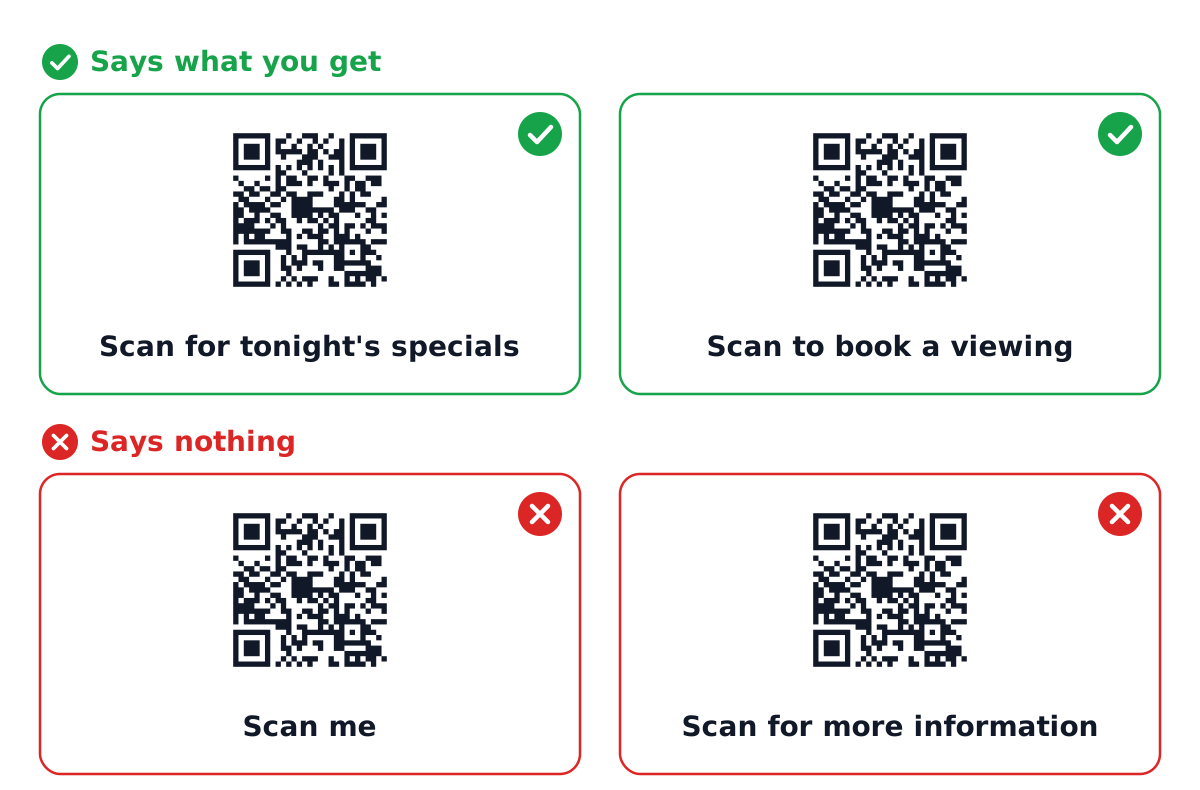 Illustration: two good and two weak calls to action.
The two good ones are "Scan for tonight's specials" and "Scan to book a viewing". Each says what you get, and "tonight" gives a real reason to scan now. The two weak ones are "Scan me" and "Scan for more information". "Scan me" stops at the verb, so it never says what you get. "Scan for more information" follows the pattern on paper, but "more information" still doesn't say what they get.
The wording depends on where the person is standing and what they want at that moment.
| Where | Weak | Better |
|---|---|---|
| Restaurant table tent | Scan me | Scan for the menu and today's specials |
| Event poster | Scan for more info | Scan for tickets, from $15 |
| Product packaging | Learn more | Scan for setup video (2 min) |
| Business card | QR code | Scan to save my contact |
| For-sale sign | Scan here | Scan for price and photos |
| Receipt | Follow us | Scan to tell us how we did |
Numbers help when they're true. "2 min" tells someone the video won't eat their lunch break. "From $15" answers the first question before they scan.
go.qrzy.co/ plus 8 random characters, which is hard to type from memory; readable custom codes start on Pro.An arrow or a frame around the code with the words in it works too. The frame mustn't touch the code, it needs a white margin to scan. A missing margin is one of the causes in why a QR code isn't scanning.
On postcards and letters there's one more rule, the postal barcode area. QR codes on direct mail covers it.
The call to action makes a promise. The page it opens has to keep it on the first screen. "Scan for today's specials" that opens the full menu PDF is a broken promise. Our article on QR code landing pages goes through what the page needs.
This is also where a dynamic QR code is useful. The print says "today's specials", so the page has to change every day. With a dynamic QR code, the printed code stays and you change the page it points to, even by time of day: menus that change by time of day shows how restaurants do it.
To find out which line works better, print both and count.
a and b.a and version B with code b. Hand them out the same way, in the same places.Both codes open the same page, so the only difference is the wording. Channels start on Starter ($100 a year, 3 per code). Free has none, and its scans show a 5-second countdown or a QRZY bar.
What the count doesn't tell you: whether the people who scanned then booked, bought or called. QRZY counts scans. What happens after is up to your page and your own tools. And small numbers mislead: 12 scans against 9 is not a winner.
Is "Scan me" ever fine? When the context already says what the code does, for example a code printed inside a "Menu" box on the table. Elsewhere, say what they'll get.
Should the call to action include an offer? Only a real one. "Scan for 10% off tonight" works if the page actually gives the 10%. Then the offer is the call to action.
How long should it be? One line, read in a second. If it needs a second line, the first one isn't clear enough.
Channels start on Starter ($100/year). Free gives one editable code with a 5-second countdown on every scan.
How to get the free review QR code from your Google Business Profile, where to print it, the two rules that get reviews removed, and when to count scans per spot.
Read More →How to get the QR code Instagram gives every profile, when it is enough, and how to make your own that counts scans per spot and can point somewhere new later.
Read More →How to make a QR code for a link or website, free: in Chrome, Edge, on your phone, with a free generator, or as a dynamic code you can change later.
Read More →