how-to
QR Code for Google Reviews: Use Google's Free One
How to get the free review QR code from your Google Business Profile, where to print it, the two rules that get reviews removed, and when to count scans per spot.
Read More →When a QR code needs its own landing page and when your website will do. What works on a phone held in one hand, and how to build one in QRZY, with its limits.
Most QR codes do not need a new landing page. If the page you already have matches the print and loads fast on a phone, point the code at it. Build a separate page only when the print promises something your site doesn't have in one place, or when you have no website.
Point the code at an existing page when:
Build a separate page when the print promises something your site doesn't have in one place: an event's details, a contact card, the links behind a sticker on a product box. Or when you don't have a website at all.
Picture who scans a QR code. They're standing up, often outside, phone in one hand, something else in the other. They saw a poster, a box or a business card, and one line on it made them curious. Assume they'll give the page a few seconds.
That picture sets the rules for a good landing page:
A code on a flyer can be scanned long after the date printed on it. A page that's gone shows a 404. A page that's out of date is worse, because it looks current.
Our demo code opens a hosted page made with QRZY: go.qrzy.co/demopage. It's a business card for a made-up person. There's a name, a job title, an email, a phone number, a website link and a Save contact button that puts the details straight into the phone's contacts. Nothing else.
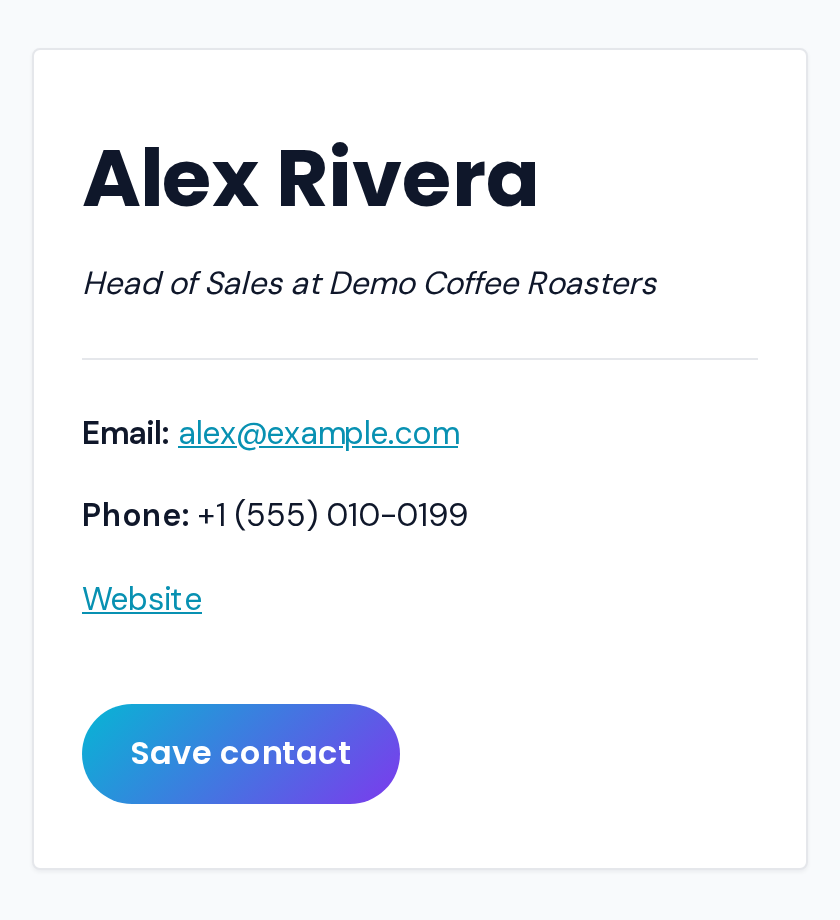 A real hosted page on QRZY: go.qrzy.co/p/demo-card.
Someone who scans a business card wants one thing: the contact saved before the conversation ends.
Hosted pages are a Pro feature: Pro ($250 a year) includes 5 pages. Free and Starter don't have them.
go.qrzy.co/p/your-slug), choose a Theme, and select Create and Edit.The code now opens your page. Because it's a dynamic QR code, you can change it later: point it at a different page after the event, or add a rule to show one page on weekdays and another at weekends. Day rules follow the timezone on the step, which starts as your browser's, so check it matches where your visitors are.
What you won't get, so you can decide before paying:
If you need forms, a shop or a proper site, use a website builder for the page and point a QRZY code at it. You still get to change where the code goes.
For a contact card in practice, read the digital business card story. A page that changes after printing is the reason dynamic QR codes exist, and QR codes on direct mail shows the same thinking on a postcard. Business uses are collected on QR codes for business.
What should a QR code landing page include? What the print promised, on the first screen, and one clear action. Usually that's all.
Do I need a landing page for every QR code? No. If an existing page already delivers what the print promises, and loads fast on a phone, use it.
Can I change the landing page after the code is printed? With a dynamic QR code, yes. With a static code, the link is printed into the pattern, so a new page means a new code.
Hosted pages are on Pro ($250/year, 5 pages). Annual billing.
How to get the free review QR code from your Google Business Profile, where to print it, the two rules that get reviews removed, and when to count scans per spot.
Read More →How to get the QR code Instagram gives every profile, when it is enough, and how to make your own that counts scans per spot and can point somewhere new later.
Read More →How to make a QR code for a link or website, free: in Chrome, Edge, on your phone, with a free generator, or as a dynamic code you can change later.
Read More →